Built by Omarr Syed Developer Blog GitHub Repo YouTube

Windows โ€ข local-first โ€ข two editions

Create workout videos. Or run the complete workout studio.

OMR WorkoutStudio Lite is the focused video-creation edition. OMR WorkoutStudio Pro includes the complete video workflow plus Live Workout, progressive overload, mobile tracking, camera rep counting, workout recording and history.

Lite 1.0 ยท Video creation Pro 2.0 ยท Video + Live Workout

Download the Windows ZIP, extract it, then launch the included app runner.

PRO 2.0

๐ŸŽฌ Video Workout

Build multi-week plans and generate follow-along workout videos with visual guides, instructions, timers, music and export presets.

๐Ÿ‹๏ธ Live Workout

Train from the same plan with sets, reps, weight, RIR, exercise-specific rest, progression history, mobile tracking and recording.

Local-firstYour plan and renders stay on your PC
Video generationAvailable in both Lite and Pro
Live WorkoutSets, reps, load and progression in Pro
Phone companionMobile Live Workout and recording in Pro

Choose your edition

Lite for video creation. Pro for the full training workflow.

The edition names are the product identity; 1.0 and 2.0 identify the corresponding release generations.

Video-only edition

OMR WorkoutStudio Lite

1.0

For users who want to build polished follow-along workout videos without the Live Workout tracking system.

  • Multi-week workout planning
  • Exercise library, instructions and visual guides
  • 2-image / loop / instructions-only video modes
  • Per-exercise video repeats
  • Music, timers, progress bars and branded output
  • 1080p MP4 generation and export presets
Complete edition

OMR WorkoutStudio Pro

2.0

Everything in Lite, plus an interactive training system for performing, tracking and recording the workout.

  • Everything included in Lite
  • Live Workout with Standard Sets and Timed Circuit
  • Target reps, actual reps, load, RIR and smart rest timing
  • Progressive-overload history and recommendations
  • Mobile/PWA Live Workout companion
  • Camera auto-rep counting with front/rear camera
  • Workout recording, playback, history, archive and ZIP
  • Smart unilateral left/right exercise handling

Edition comparison

Pick the edition that matches how you train.

CapabilityLite 1.0Pro 2.0
Multi-week workout plannerโœ“โœ“
Workout video generationโœ“โœ“
2-image / loop / instructions-only visualsโœ“โœ“
Music, timers and export presetsโœ“โœ“
Live Workoutโ€”โœ“
Sets / reps / weight / RIR trackingโ€”โœ“
Progressive overloadโ€”โœ“
Exercise-specific smart rest timingโ€”โœ“
Mobile Live Workout companionโ€”โœ“
Camera auto-rep captureโ€”โœ“
Live workout video recording + historyโ€”โœ“
Single-limb left/right handlingโ€”โœ“

App preview

Dark logo-matched UI with a practical workout-building workflow.

Lite keeps the focused video workflow. Pro builds on the same planner with dedicated Live Workout, mobile and workout-history capabilities.

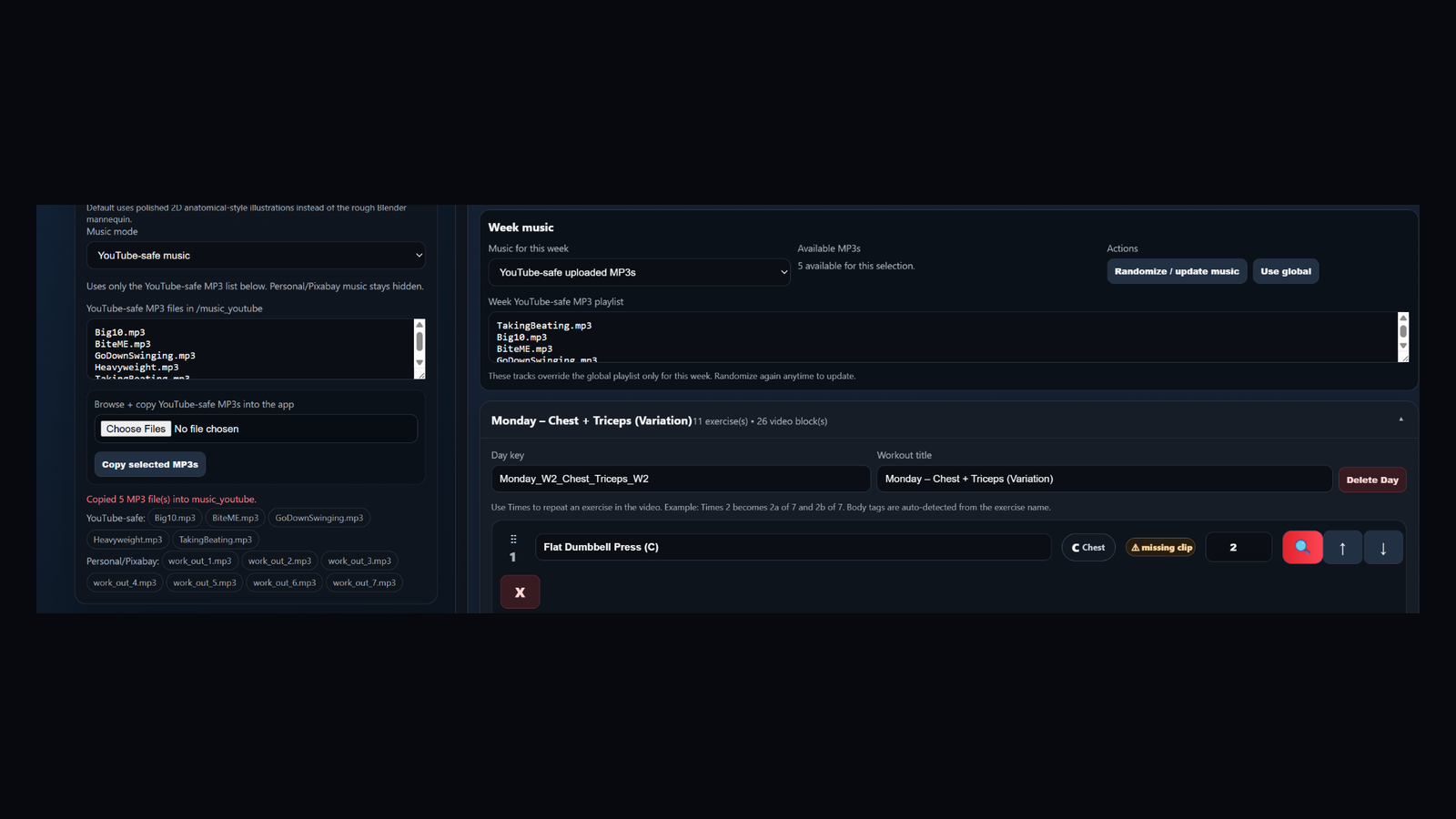
OMR WorkoutStudio planning and video generation interface

Workout planning + video creation

The core planning and generation experience shared across the product line.

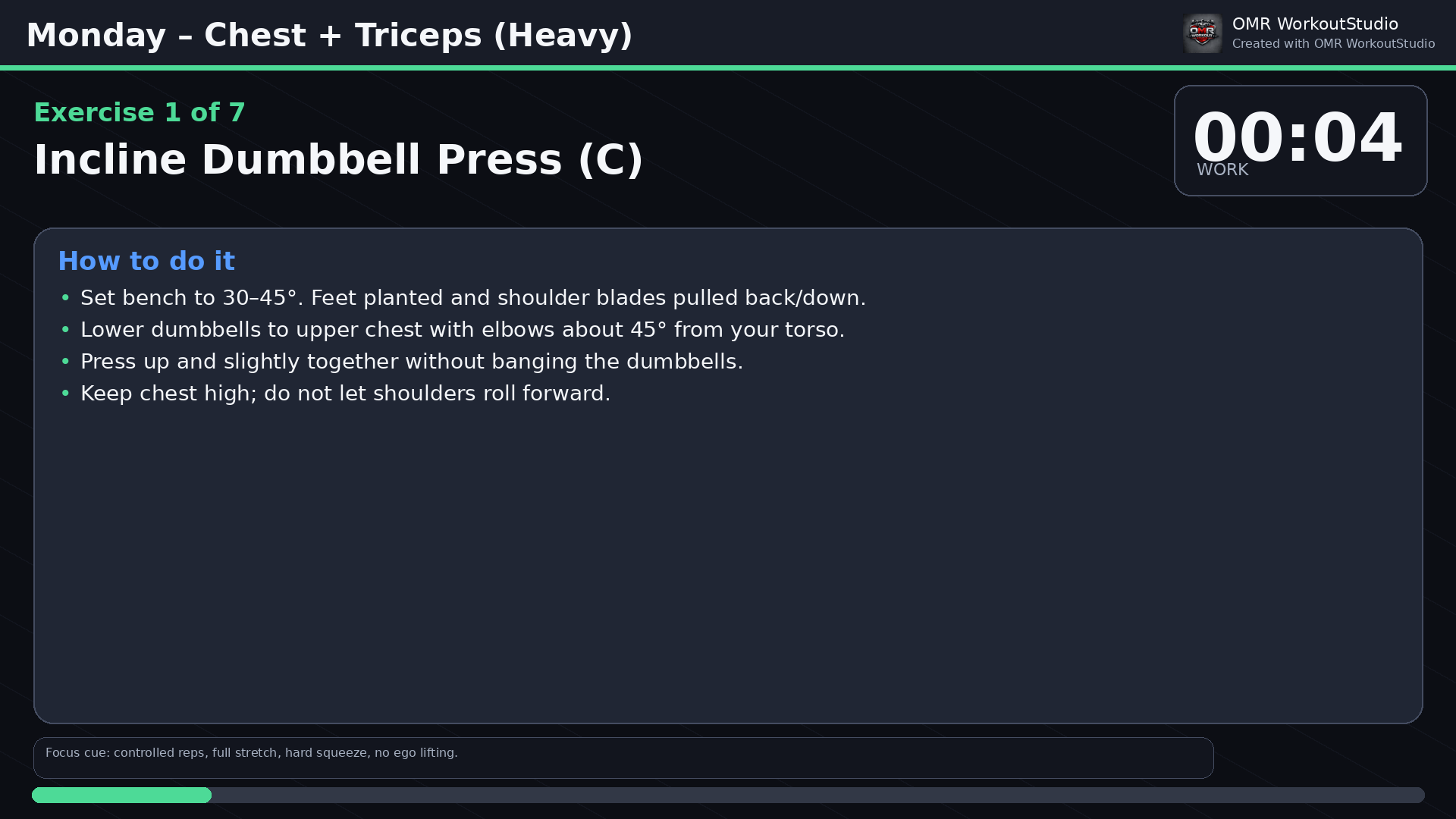
Sample generated workout frame

Generated workout output

Exercise instructions, visual guidance, timers, progress and branded video output.

Shared video engine

Workout-video generation remains at the core.

๐Ÿ“…

Multi-week planner

Build weeks, days and reusable exercise sequences with collapsible planning controls.

๐Ÿ”

Exercise library

Search a categorized exercise collection and add custom exercises when needed.

๐Ÿ–ผ๏ธ

Flexible visual modes

Use a two-image guide, looping guide, or instructions-only on a per-exercise basis.

๐ŸŽต

Music workflow

Use properly licensed audio, YouTube-safe tracks, personal/Pixabay files, or beeps only.

๐ŸŽฌ

1080p MP4 output

Render branded workout videos with timers, progress, instructions, beeps, music and visual guides.

โš™๏ธ

Export control

Choose presets, render one day or a larger scope, and cancel an export when needed.

Pro-only training tools

Pro turns the planner into an interactive workout system.

๐Ÿ‹๏ธ

Live Workout

Perform the planned day with actual sets, reps, load, RIR and exercise-specific recovery.

๐Ÿ“ˆ

Progressive overload

Use prior performance to guide the next target load and rep range.

๐Ÿ“ฑ

Mobile companion

Run Live Workout from your phone through the secure mobile/PWA workflow.

๐Ÿ“ท

Camera rep counting

Use front or rear camera auto-counting where supported, with manual correction available.

๐ŸŽฅ

Workout recording

Record exercise clips, play them back, save/share them, and manage workout history.

โ†”๏ธ

Unilateral intelligence

Recognizes single-arm and single-leg movements and guides Left + Right execution.

How to install

Download, extract, launch.

1

Choose Lite or Pro

Use the edition cards above to download the version you want.

2

Extract the ZIP

Right-click the downloaded ZIP and choose Extract All.

3

Launch

Open the extracted folder and start the included app runner.

4

Train or create

Lite opens the video workflow; Pro adds Live Workout and the mobile companion.

Windows security note

Windows SmartScreen may warn about unsigned independent applications. Download only from this official repository/release page.

Generated examples

Watch videos created with OMR WorkoutStudio.

See sample workout videos and generated fitness content on the official OMR WorkoutStudio YouTube channel.

โ–ถ

@OMRWorkoutStudio

Generated workout examples and branded fitness video output from the app.

About the developer

Built by Omarr Syed.

OMR WorkoutStudio is an independently developed workout planning, training and video-production tool.

FAQ

Common questions

Which edition should I download?

Choose Lite 1.0 for the workout-video creation workflow. Choose Pro 2.0 if you also want Live Workout, progressive overload, mobile tracking, rep capture, recording and history.

Is Pro a replacement for Lite?

Pro includes the video-generation capabilities of Lite and adds interactive training features. Lite remains available as the simpler video-focused edition.

Does the app upload my workout plan or videos?

The current desktop editions are local-first. Files remain on your machine unless you explicitly use a sharing/upload workflow.

Can Pro be used from a phone?

Yes. Pro includes the mobile Live Workout companion/PWA workflow. The Windows app remains the primary planner and video-rendering host.

Can I upload generated videos to YouTube?

Yes, but music rights remain your responsibility. Use properly licensed tracks, the official YouTube Audio Library, or beeps-only mode when appropriate.