OMR Prayer Sync logo
OMR Prayer Sync

Your prayer schedule, reminders, and Adhan β€” automated on Windows.

OMR Prayer Sync is a Windows tray app paired with a background service that keeps daily prayer times accurate, plays Adhan at the official time, reminds you after your chosen delay for each salah, and gives you a clean settings experience for prayer timing, custom reminders, and Friday Surah Al-Kahf.

πŸ•’ DST-aware official prayer times
πŸ•Œ Adhan at official time
πŸ”” Reminder after custom offset
πŸ“ GPS, IP, or manual location
πŸ“– Surah Al-Kahf Friday reminder
πŸ›  Custom reminders built in

Built for Windows 10/11. Designed to stay out of the way until you need it.

Why people will like it

Reliable daily workflow The background service keeps your daily prayer schedule active even when the settings window is closed.
Flexible reminder timing Set a default reminder offset, then override it for individual prayers like Maghrib or Fajr.
Respectful audio flow Voice reminders and other audio wait until Adhan finishes, so nothing talks over it.
One place for everything Prayer settings, Adhan, location, advanced options, custom reminders, and Friday reminders all live in one interface.
Core features

⏱

Official prayer times that stay accurate

Uses your location and selected calculation method to keep the daily schedule correct, including daylight saving time adjustments.

πŸ•Œ

Adhan right on time

Plays Adhan at the official start of prayer, with per-prayer toggles and separate handling for Fajr audio.

πŸ””

Prayer reminders after your chosen delay

Get reminded after 15, 30, or any custom offset you set per prayer, with optional voice and next-prayer countdown.

πŸ“

Flexible location modes

Choose GPS first, IP-based fallback, or fully manual coordinates if you prefer control over automatic detection.

πŸ› 

Custom reminders beyond salah

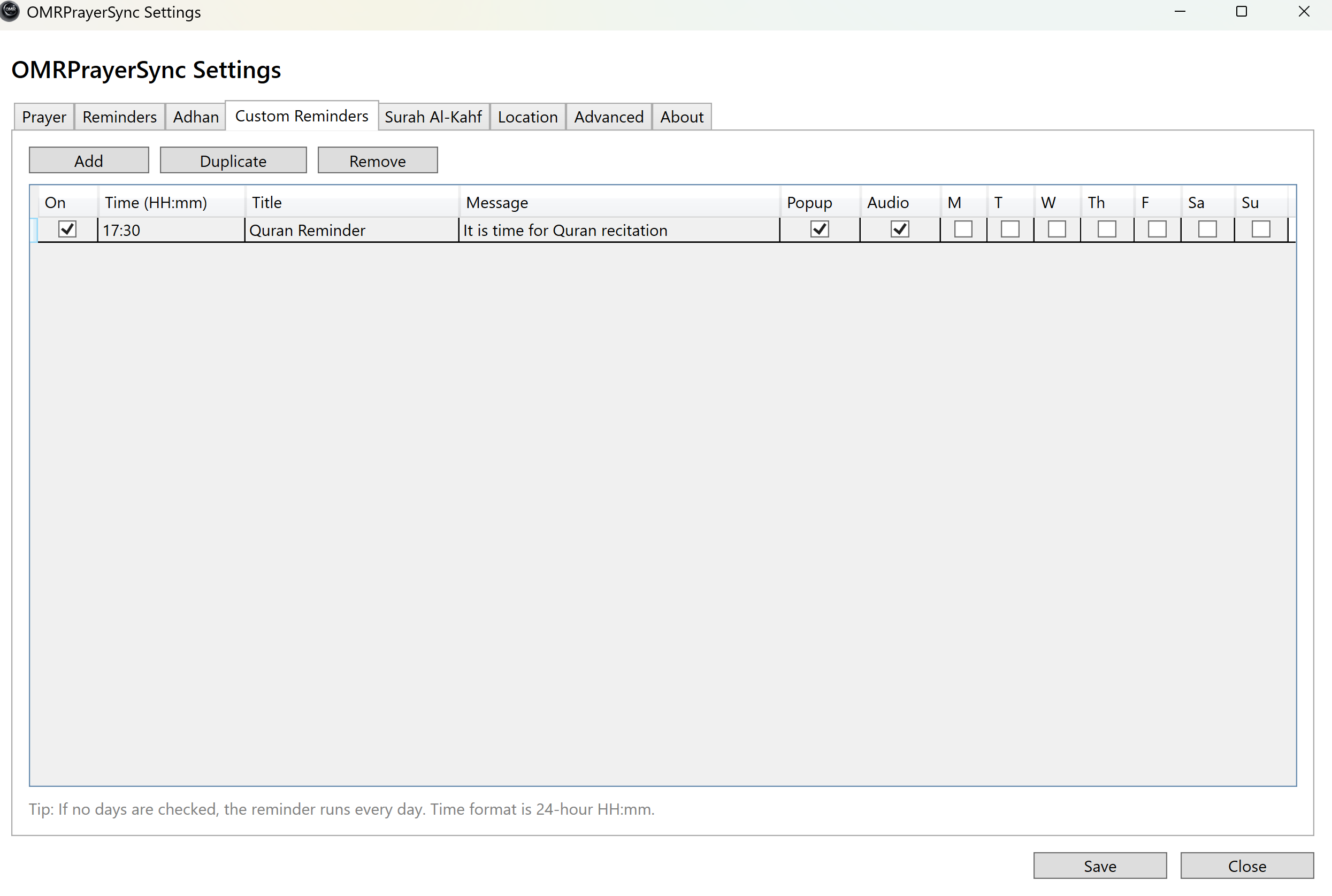
Add your own reminders with title, message, time, weekday selection, popup, and optional audio.

πŸ“–

Friday Surah Al-Kahf reminder

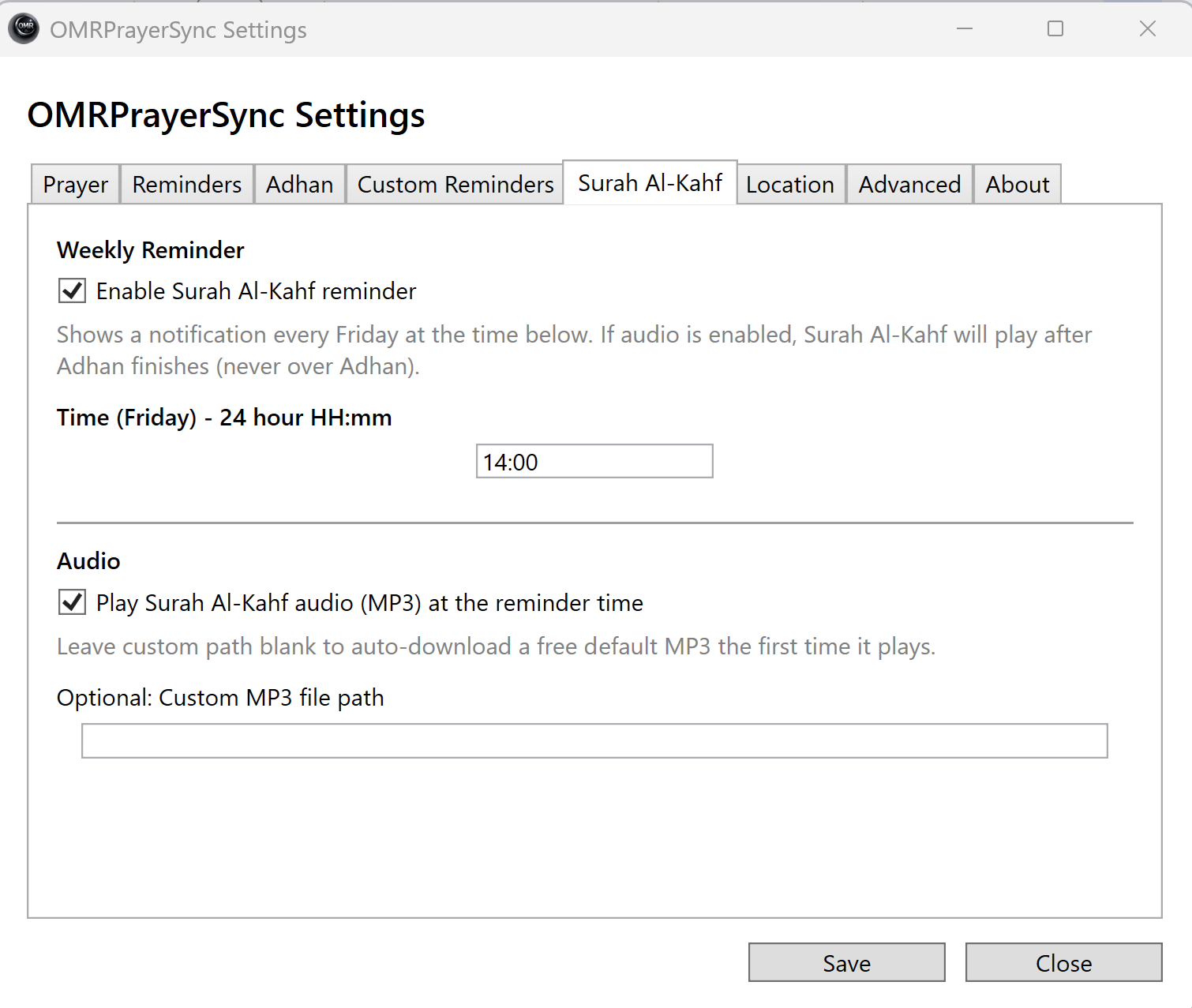
Dedicated weekly reminder with customizable time, optional audio playback, and controls separated from daily prayer settings.

Prayer times

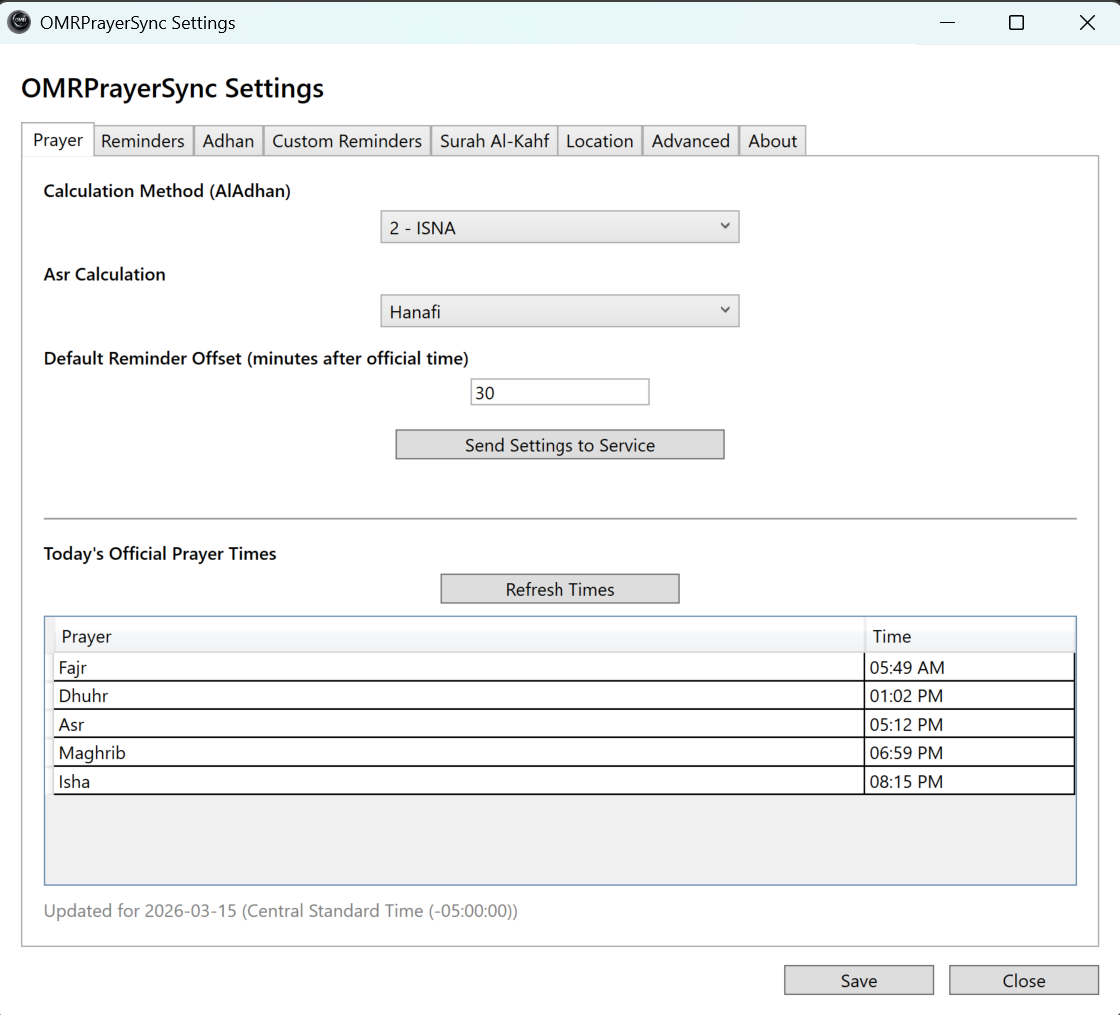
OMR Prayer Sync keeps today’s official prayer times visible inside the app and uses those times as the foundation for Adhan and reminders.

  • Supports calculation method selection
  • Supports Standard and Hanafi Asr
  • Refreshable official times grid
  • DST-aware schedule handling

Reminders

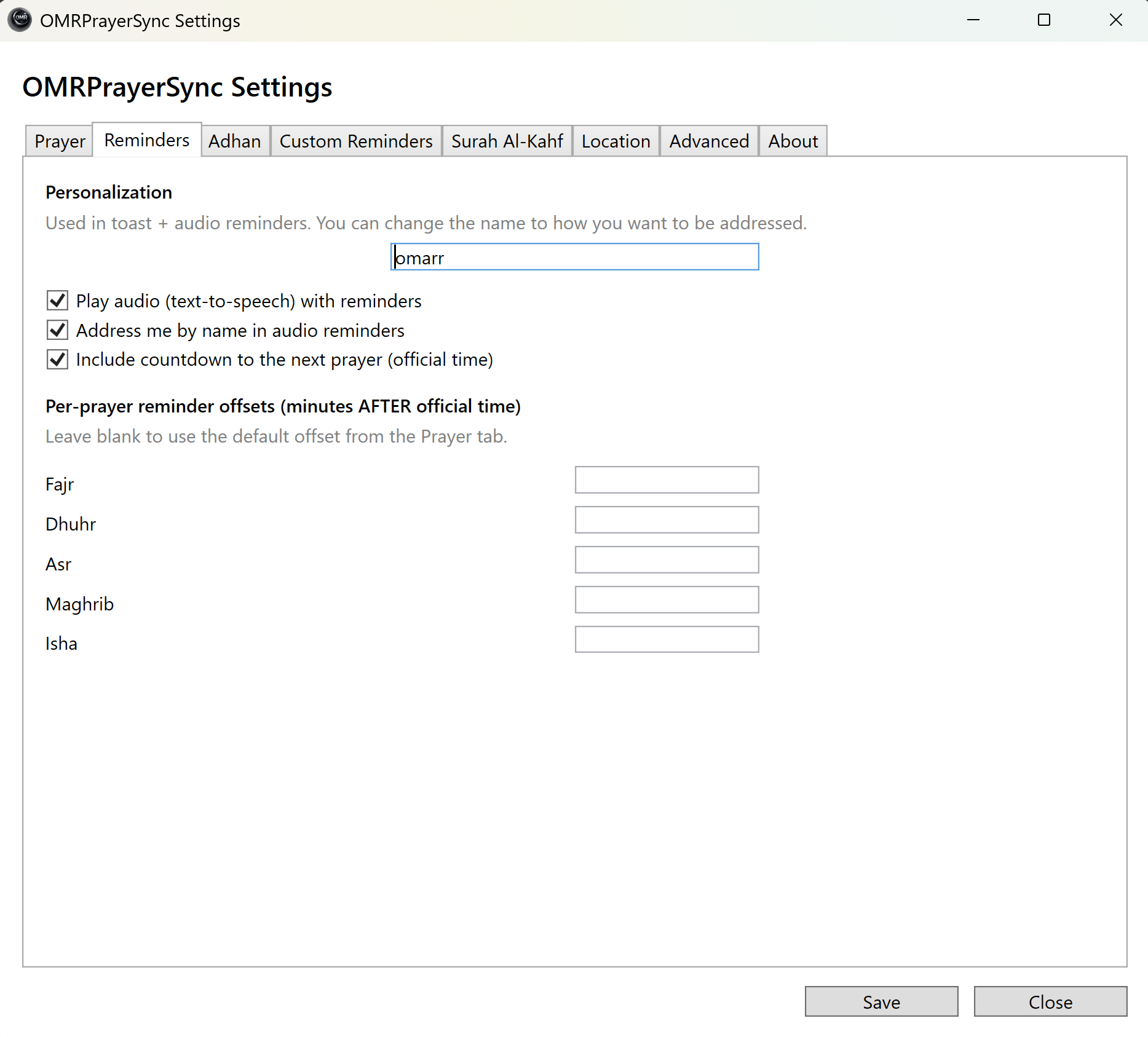
Set a default reminder offset for all prayers, then fine-tune each salah separately. The app can remind you to pray and announce how long remains before the next prayer.

  • Default offset plus per-prayer overrides
  • Voice reminder support
  • Next-prayer countdown in reminder text
  • Name-based personalization support

Adhan

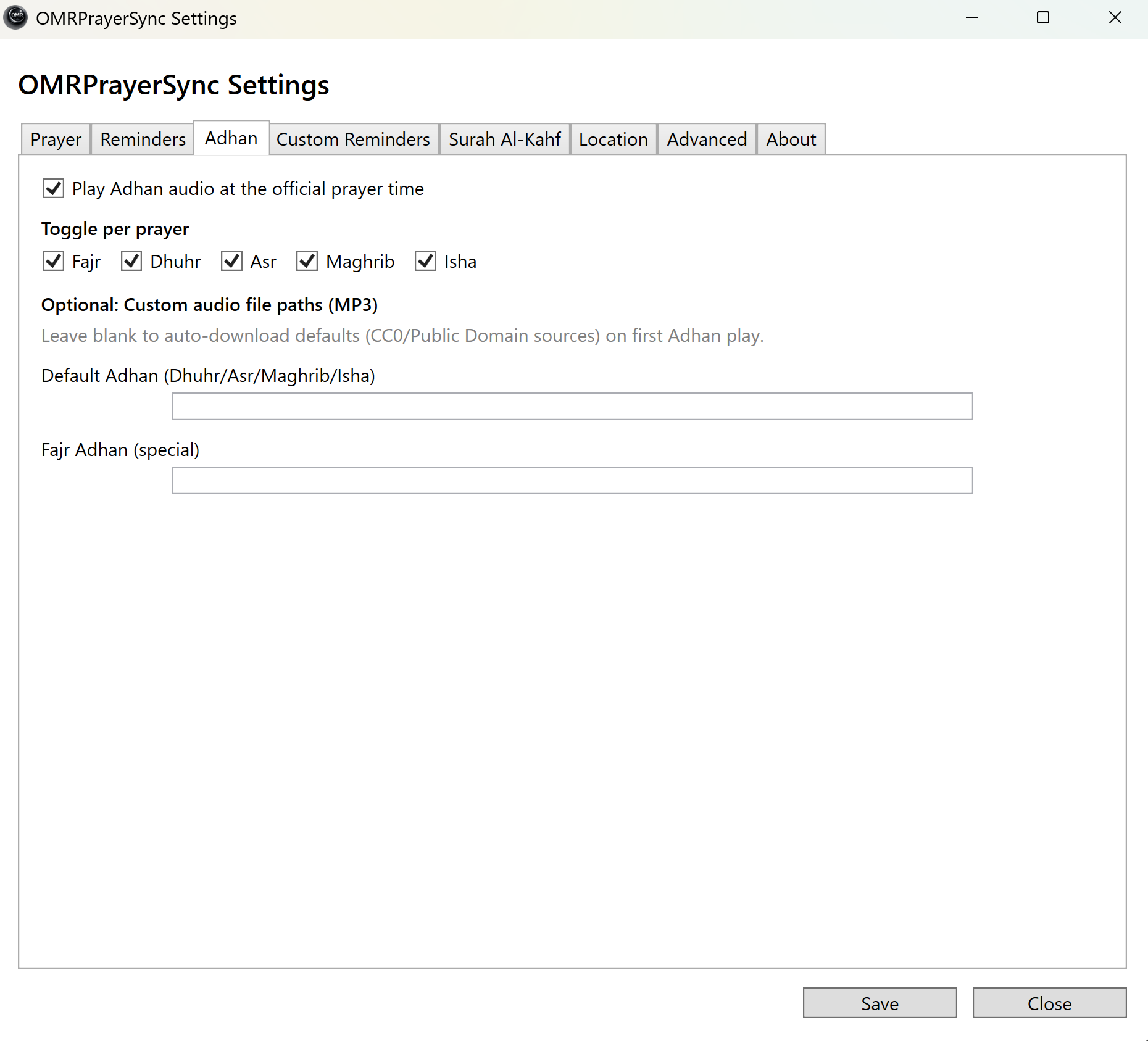
Adhan can be enabled globally and controlled per prayer. Audio playback is kept separate from spoken reminders so the experience stays respectful and clean.

  • Per-prayer Adhan toggle
  • Custom audio path support
  • Separate Fajr Adhan file support
  • Speech waits until Adhan finishes

Location

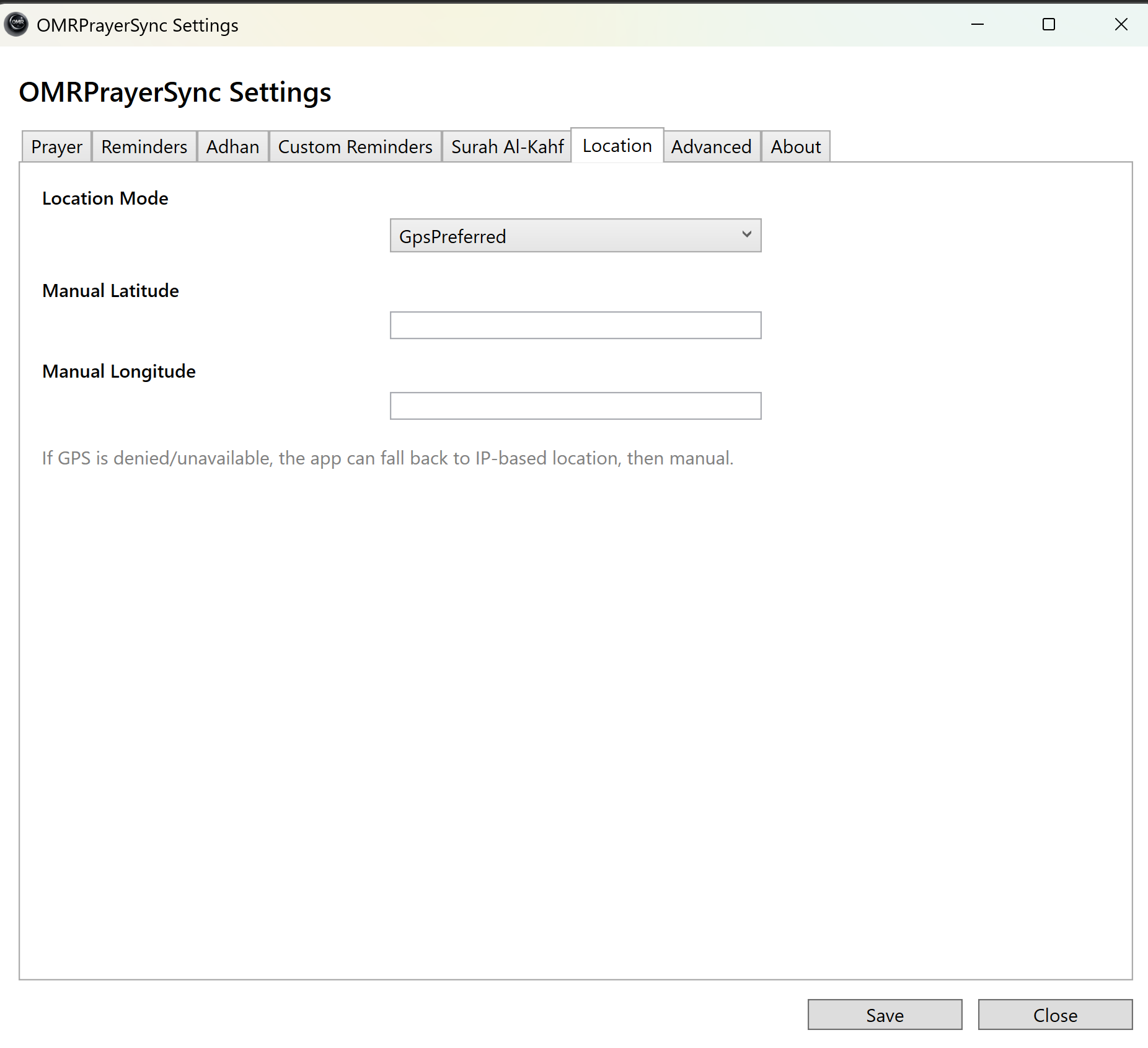
Use automatic location when available, fall back to IP lookup when needed, or lock the app to manual coordinates for a stable setup.

  • GPS preferred mode
  • IP-based fallback mode
  • Manual latitude and longitude support
  • Useful for travel or desktop-only setups

Advanced settings

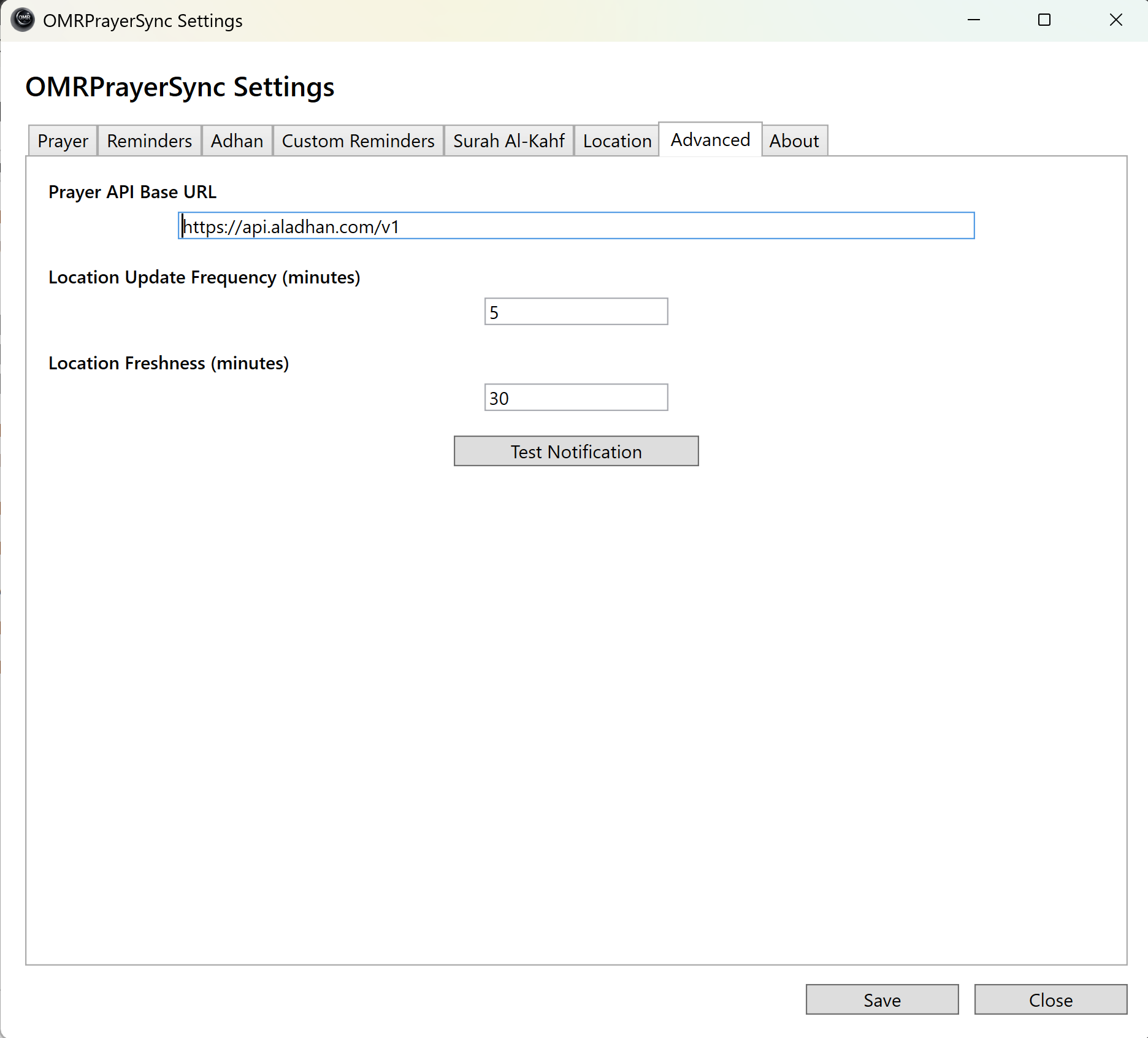
Control update frequency, location freshness, API endpoint, and testing tools from one place.

  • Prayer API base URL
  • Location update interval
  • Location freshness control
  • Built-in test notification

Custom reminders & Friday reminders

Beyond prayer reminders, the app includes a customizable reminder engine and a dedicated Surah Al-Kahf tab for weekly Friday use.

  • Recurring custom reminders with weekday selection
  • Popup and audio options
  • Dedicated Surah Al-Kahf schedule
  • Optional MP3 playback

Screenshots

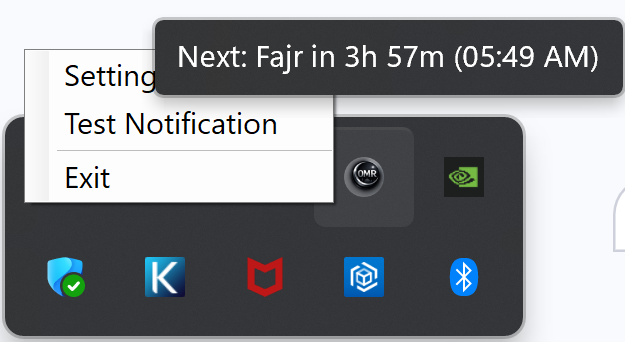
Tray icon and tray menu screenshot
Tray icon, tray context menu, and next-prayer tooltip
Prayer times screenshot
Prayer tab showing official times, method, Asr school, and refreshable schedule grid
Reminders screenshot
Reminders tab with default delay, per-prayer offsets, and name/audio settings
Adhan screenshot
Adhan tab with prayer toggles and custom audio path options
Location screenshot
Location tab showing GPS, IP fallback, and manual coordinate support
Advanced screenshot
Advanced tab with API base URL, update frequency, freshness, and test notification
Custom reminders screenshot
Custom reminders tab with weekday-based scheduling, popup, and audio controls
Surah Al-Kahf screenshot
Surah Al-Kahf tab with reminder toggle, audio toggle, time, and optional audio path
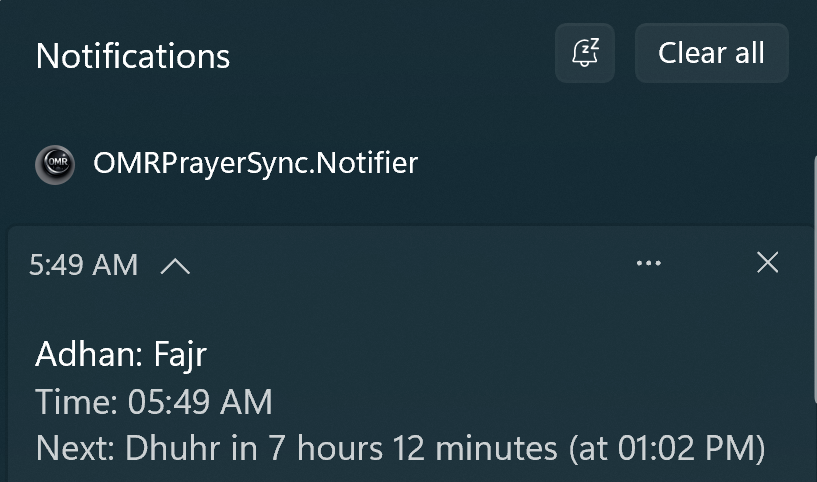
Toast notification screenshot
Prayer reminder toast with official time, reminder time, and next-prayer countdown
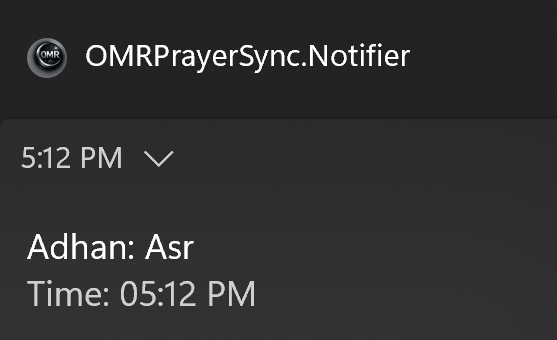
Adhan toast screenshot
Adhan notification at official prayer time

Install in a minute

  1. Purchase OMR PrayerSync securely from OMRGlobalTech.
  2. Use the controlled download link provided after purchase.
  3. Run setup and complete installation.
  4. Activate the licensed copy when prompted.
  5. Allow location access if Windows prompts you, then open Settings from the tray icon and customize prayer behavior.

FAQ

Will the app talk over Adhan?

No. Spoken reminders are queued and played only after Adhan finishes.

Can I use different reminder delays for each prayer?

Yes. Keep a default offset or override each prayer individually.

Does it handle daylight saving time correctly?

Yes. The app now uses the correct local DST-adjusted prayer schedule.

Can I disable Surah Al-Kahf reminder or audio?

Yes. Reminder and audio can both be toggled independently, and the Friday time is customizable.

About the Developer

OMR Prayer Sync was built by Omarr Syed, a senior software engineer focused on building practical tools that combine reliability, automation, and thoughtful user experience.

πŸ“˜ Developer Blog πŸ’» GitHub πŸ”— LinkedIn β˜• Support the Project